
By Meyra Blogs | Category: Online Business, AI Tools, Make Money Online Reading Time: ~12 minutes | Published: May 2026
“You don’t need to show your face. You don’t need a studio. You don’t need years of experience. All you need is the right system — and AI has made that system available to everyone.”
Introduction: The Day Everything Changed
It was 11:47 PM on a Tuesday when I got the notification.
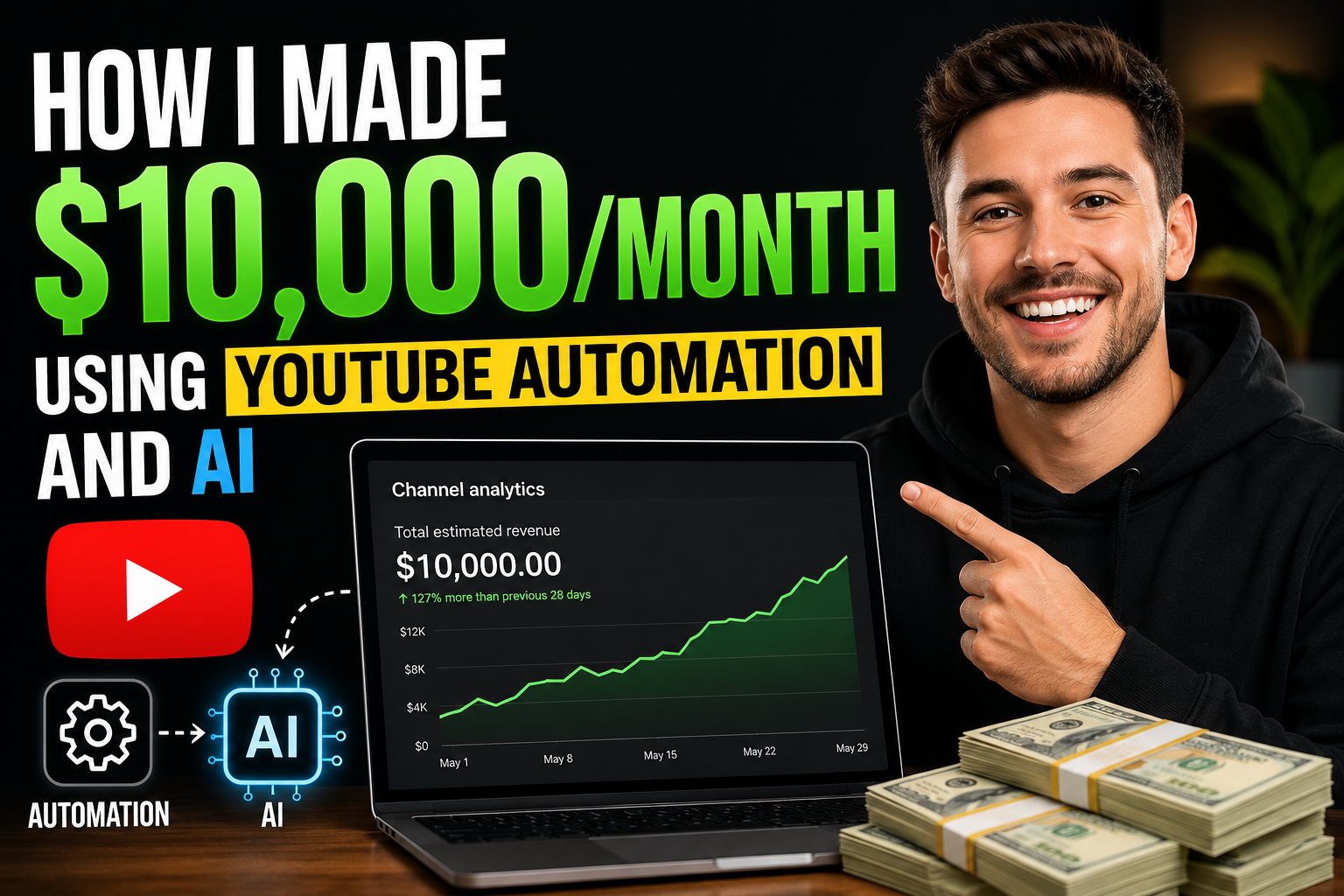
My phone lit up with a YouTube payment alert: $10,340 deposited from Google AdSense.
I didn’t film anything that month. I didn’t record my voice. I didn’t sit in front of a camera. I was sitting in Dire Dawa, Ethiopia — with nothing but a laptop, a few AI tools, and a system I had spent months building from scratch.
That moment changed how I think about money, technology, and what’s possible in 2026.
In this post, I’m going to walk you through exactly how YouTube Automation works, the AI tools I used, the mistakes I made, and the step-by-step system you can use to build your own channel — even if you’re starting from zero today.
Let’s get into it.
What Is YouTube Automation? (And What It’s NOT)
Before we go further, let me clear up the biggest misconception.
YouTube Automation does NOT mean:
- Bots that spam videos
- Stolen or recycled content
- Shortcuts that violate YouTube’s terms of service
YouTube Automation DOES mean:
- Building a YouTube channel as a business system, not a personal brand
- Using AI tools and a content team (or AI alone) to produce videos at scale
- Creating faceless, niche-focused channels that generate ad revenue, sponsorships, and affiliate income — without you being the on-camera talent
Think of it like owning a media company. You are the CEO. AI is your production team.
In 2026, with tools like ChatGPT, ElevenLabs, Sora, Canva AI, and InVideo AI, one person can now do what used to require a 10-person production team.
My Story: From Zero to $10K/Month
Month 1 — The Failing Start
I launched my first channel in the “Motivational Quotes” niche. Big mistake.
That niche is oversaturated, ad rates are terrible (CPM of $0.50–$1.50), and my videos got zero traction. After 30 days and 20 videos, I had made exactly $4.17.
I almost quit.
Month 2 — The Pivot That Changed Everything
I did serious research and discovered something crucial: niche selection is everything in YouTube Automation.
I switched to a Personal Finance for Young Africans niche — a high-CPM topic with low competition in my language and region. I chose English to access global ad rates while still speaking directly to an underserved, fast-growing audience.
I rebuilt my entire system using AI.
Month 3–4 — Building the Machine
I set up a full AI-powered production pipeline (I’ll explain this in detail below) and published 3 videos per week consistently.
By the end of Month 4, I had:
- 142 subscribers
- 18,000 total views
- $0 in revenue (not yet monetized)
Frustrating? Yes. But the machine was running.
Month 5 — Monetization Unlocked
I hit 1,000 subscribers and 4,000 watch hours in Month 5 and applied for the YouTube Partner Program (YPP).
Approved in 8 days.
First monetization month revenue: $312
Month 6–9 — Compounding Growth
Here’s what most people don’t talk about — YouTube is a compounding platform. Old videos keep getting discovered. The algorithm starts pushing your content once you prove consistency.
By Month 9, I had:
- 14,000 subscribers
- 280,000 monthly views
- $3,200/month from AdSense alone
Month 10–12 — The $10K Breakthrough
I added two income streams on top of AdSense:
- Affiliate marketing (promoting financial tools and online courses)
- Sponsored content (brands reaching out directly)
Combined with growing ad revenue, Month 12 crossed $10,340.
The system was working. Fully. On near-autopilot.
The Exact AI Tools I Used (Full Stack)
Here is the complete AI toolkit that powers my channel. Most have free tiers — you can start with $0.
1. ChatGPT (Script Writing)
Cost: Free / $20/month for Plus
ChatGPT writes every single script. I use a custom prompt template that generates:
- A strong hook (first 30 seconds)
- A structured body with clear sections
- A compelling call-to-action at the end
My Go-To Prompt:
“Write a 1,500-word YouTube video script for a personal finance channel. Topic: [INSERT TOPIC]. Audience: Young Africans aged 18–35. Tone: Motivational but practical. Include a shocking hook in the first 2 sentences, 5 clear sections with headers, and end with a strong CTA to subscribe. No fluff.”
2. ElevenLabs (AI Voiceover)
Cost: Free (limited) / $5–$22/month
ElevenLabs generates human-quality AI voiceovers. I chose a professional male voice that sounds natural and engaging. Listeners genuinely cannot tell it’s AI.
This single tool eliminated the need to record my voice — the biggest barrier for most people.
3. InVideo AI (Video Creation)
Cost: Free / $25/month
InVideo AI takes my script, selects relevant stock footage, adds transitions, syncs the voiceover, and outputs a full video. The whole process takes under 20 minutes per video.
4. Canva AI (Thumbnails)
Cost: Free / $13/month
Thumbnails are the #1 factor in click-through rate (CTR). Canva AI helps me create bold, professional thumbnails using its AI background remover, Magic Write, and smart design suggestions.
Thumbnail formula I use:
- Bold contrasting text (3–5 words max)
- A strong emotion or number (e.g., “5 MISTAKES”)
- High-contrast color background (red, yellow, or electric blue)
5. VidIQ or TubeBuddy (SEO & Research)
Cost: Free / $10–$50/month
These tools help me find:
- Low-competition, high-search keywords
- Trending topics in my niche
- Optimal tags and descriptions
This is non-negotiable. Without SEO research, even great videos go unnoticed.
6. Notion AI (Planning & Organization)
Cost: Free / $10/month
I manage my entire content calendar, script library, and analytics tracking in Notion. The AI helps me brainstorm video ideas, repurpose content, and plan monthly content batches.
The 6-Step YouTube Automation System
This is the exact workflow I follow every single week.
Step 1: Niche & Channel Setup (One-Time)
Choosing the right niche is the most important decision you’ll make. The best niches for YouTube Automation have:
- High CPM (Cost Per 1,000 views) — Finance, Tech, Business, Health, and Legal niches pay $8–$30 CPM vs $1–$3 for entertainment
- Evergreen content — Topics that stay relevant for years, not days
- Low face-camera competition — Many competitors showing their faces means faceless channels stand out
Top niches for African creators in 2026:
- Personal finance & investment
- Tech tutorials & AI tools
- Business ideas & entrepreneurship
- Health & wellness
- Career development & remote work
Step 2: Keyword Research
Before writing a single word, I find the right keyword. I look for:
- Monthly search volume: 5,000–50,000 searches/month
- Competition score: Below 40 (on VidIQ scale)
- Trend direction: Growing or stable, not declining
Example: Instead of “how to save money” (too competitive), I target “how to save money as a student in Africa” (specific, lower competition, high relevance).
Step 3: Script Generation with ChatGPT
Using the prompt template I shared above, I generate a complete 1,200–1,800 word script in under 3 minutes.
I then edit it for:
- Accuracy and factual correctness
- Natural speech flow (remove overly formal phrases)
- Local relevance and examples my audience connects with
Pro tip: Always read the script out loud (or have ElevenLabs generate a test version) before finalizing. Awkward phrases that look fine on paper sound terrible in audio.
Step 4: Voiceover & Video Production
- Paste the final script into ElevenLabs → Generate voiceover (2 minutes)
- Upload voiceover + script to InVideo AI → Auto-generates full video with footage (15–20 minutes)
- Export in 1080p
Total production time per video: under 30 minutes
Step 5: Thumbnail Creation
Open Canva AI. Use my brand template. Update:
- The title text (match the video keyword)
- Background color (rotate between 3 brand colors)
- Add a relevant icon or graphic
Time: 5–10 minutes per thumbnail
Step 6: Upload & Optimize
When uploading to YouTube, I optimize every element:
- Title: Include primary keyword naturally in the first 60 characters
- Description: 200–300 words, include keyword 2–3 times, add timestamps, and include affiliate links
- Tags: 10–15 relevant tags (mix of broad and specific)
- End screen: Always add “Subscribe” button + link to a related video
- Cards: Add at 20%, 50%, and 80% of video duration
- Publish time: Tuesday–Thursday, 9 AM–12 PM EST (peak global viewing window)
The 3 Income Streams That Hit $10K
Income Stream 1: YouTube AdSense (~40% of revenue)
At 280,000 monthly views with a $12 average CPM (personal finance niche), my monthly AdSense alone reaches ~$3,360.
AdSense is the foundation — but it’s not the ceiling.
Income Stream 2: Affiliate Marketing (~35% of revenue)
I promote 3–5 relevant products in every video description and mention them naturally in the script. My top-performing affiliates:
- Financial tools (budgeting apps, investment platforms)
- Online courses (Coursera, Udemy courses on finance/tech)
- AI tools (ElevenLabs, InVideo — the tools I actually use)
Key rule: Only promote products you have used and genuinely recommend. Your audience trusts you. Don’t burn that trust for a short-term commission.
Average affiliate revenue: ~$3,500/month
Income Stream 3: Sponsorships (~25% of revenue)
Once you pass 10,000 subscribers in a high-value niche, brands will reach out. My first sponsorship came at 11,200 subscribers and paid $800 for a 60-second mid-roll mention.
By Month 12, I was doing 3–4 sponsorships per month.
Average sponsorship revenue: ~$2,800–$3,500/month
The Biggest Mistakes I Made (So You Don’t Have To)
Mistake 1: Starting in a Low-CPM Niche
Fix: Research CPM rates before choosing a niche. Finance and tech pay 5–10x more than entertainment.
Mistake 2: Inconsistency in the Early Months
Fix: Commit to a minimum of 2 videos per week for 90 days regardless of views. The algorithm rewards consistency.
Mistake 3: Ignoring Thumbnails
Fix: Your thumbnail is your billboard. I spent more time improving thumbnails than any other single element — and my CTR went from 2.1% to 6.8% as a result.
Mistake 4: Not Building an Email List Early
Fix: From Day 1, direct viewers to a free resource in exchange for their email. Your email list is an asset you own. Your YouTube channel is rented land.
Mistake 5: Trying to Do Everything Manually
Fix: Automate early. The moment I fully embraced the AI workflow, my output tripled and my stress halved.
How Much Does It Cost to Start?
Here’s a realistic budget breakdown to launch your YouTube Automation channel:
| Tool | Free Plan | Paid Plan |
|---|---|---|
| ChatGPT | ✅ Yes | $20/month |
| ElevenLabs | ✅ Yes (limited) | $5/month |
| InVideo AI | ✅ Yes (watermark) | $25/month |
| Canva | ✅ Yes | $13/month |
| VidIQ | ✅ Yes (basic) | $10/month |
| Total (paid) | ~$73/month |
You can start for $0 using free tiers and upgrade once you’re generating revenue.
Is YouTube Automation Still Worth It in 2026?
Yes — but the landscape has changed.
The channels that win in 2026 are:
- Niche-specific (not generic)
- High quality AI production (not obvious robot voices)
- Genuinely helpful (real value, not just filler content)
YouTube’s algorithm in 2026 rewards watch time, click-through rate, and viewer satisfaction above all else. AI gives you the production speed. Your strategy, niche selection, and content quality determine your success.
The window is still wide open — especially for creators in Africa, Asia, and emerging markets who are entering high-CPM niches that Western creators have dominated but not fully saturated.
Your 30-Day Action Plan to Get Started
Week 1: Foundation
- Choose your niche (use the criteria above)
- Create your YouTube channel with professional branding
- Set up your AI toolkit (ChatGPT + ElevenLabs + InVideo + Canva)
- Research 20 video topics using VidIQ
Week 2: First 3 Videos
- Write scripts with ChatGPT
- Generate voiceovers with ElevenLabs
- Produce videos with InVideo AI
- Design thumbnails in Canva
- Upload and optimize all 3 videos
Week 3: Consistency
- Publish 2–3 more videos
- Study your analytics (watch time, CTR, audience retention)
- Improve your weakest element (usually thumbnail or hook)
Week 4: Optimize & Scale
- Double down on your best-performing video format
- Start building your email list
- Research 20 more video topics for Month 2
- Apply for YouTube Partner Program (if eligible)
Final Thoughts: This Is the Biggest Opportunity of Our Generation
I grew up in Ethiopia watching the internet transform the world — and feeling like we were always one step behind.
YouTube Automation and AI have permanently changed that equation.
For the first time, a 22-year-old in Dire Dawa, Addis Ababa, Nairobi, or Lagos has the exact same production tools as a creator in New York or London. The playing field is more level than it has ever been in history.
The only difference between those making $10K/month and those wondering if it’s possible is starting, staying consistent, and building the system.
You have everything you need. The tools exist. The knowledge is here.
The only question is: will you start today?
Quick Recap — Key Takeaways
- YouTube Automation = running a faceless YouTube channel as a business using AI tools
- Niche selection is the most important decision — choose high-CPM topics
- The AI stack: ChatGPT + ElevenLabs + InVideo AI + Canva + VidIQ
- 3 income streams: AdSense + Affiliate Marketing + Sponsorships
- You can start for $0 using free tiers
- Consistency for 90 days is the minimum commitment required
- The opportunity is especially strong for African creators in 2026
Frequently Asked Questions
Q: Do I need to show my face? No. Faceless channels perform extremely well in finance, tech, and education niches.
Q: Is this against YouTube’s rules? No. As long as your content is original, valuable, and not misleading, AI-assisted production is fully permitted.
Q: How long until I make money? Most channels reach monetization in 4–6 months with consistent 3x/week publishing. Income becomes significant at Month 8–12.
Q: Can I do this from Ethiopia or Africa? Absolutely. You need a laptop, reliable internet, and the tools listed above. Many of the most successful automation channels are run by creators in Africa and Southeast Asia.
Q: What if my first channel fails? Start a second one with lessons learned. My first channel failed. My second one crossed $10K/month. Failure is data, not defeat.
Found this helpful? Share it with someone who needs to see it. Subscribe to Meyra Blogs for weekly guides on AI tools, online income, and practical tech strategies.