
Artificial Intelligence (AI) is no longer only for programmers, researchers, or large technology companies. In 2026, anyone with a smartphone or laptop can use AI to write content, create images, make videos, learn new skills, organize work, and build an online business.
But there is one major challenge for beginners: there are thousands of AI tools available, and it can be difficult to know where to start.
That is why this guide explores the best AI tools for beginners in 2026. These tools are relatively easy to learn and can help you become more productive without requiring advanced technical knowledge.
Whether you are a student, freelancer, content creator, entrepreneur, or beginner interested in AI, you can start with one or two tools and gradually build your skills.
What Is Artificial Intelligence?
Artificial Intelligence, commonly called AI, is technology that enables computers and software to perform tasks that normally require human intelligence.
AI can help with many different tasks, including:
- Writing and editing text
- Answering questions
- Creating images
- Generating video content
- Summarizing information
- Translating languages
- Analyzing data
- Brainstorming ideas
- Automating repetitive tasks
- Learning new skills
Modern AI tools have made many of these capabilities accessible to ordinary users.
You do not necessarily need programming or machine-learning knowledge to start using AI. In many cases, you can simply describe what you need using natural language.
For beginners, the goal should not be to learn every AI tool available. Instead, choose tools that solve problems you already have.
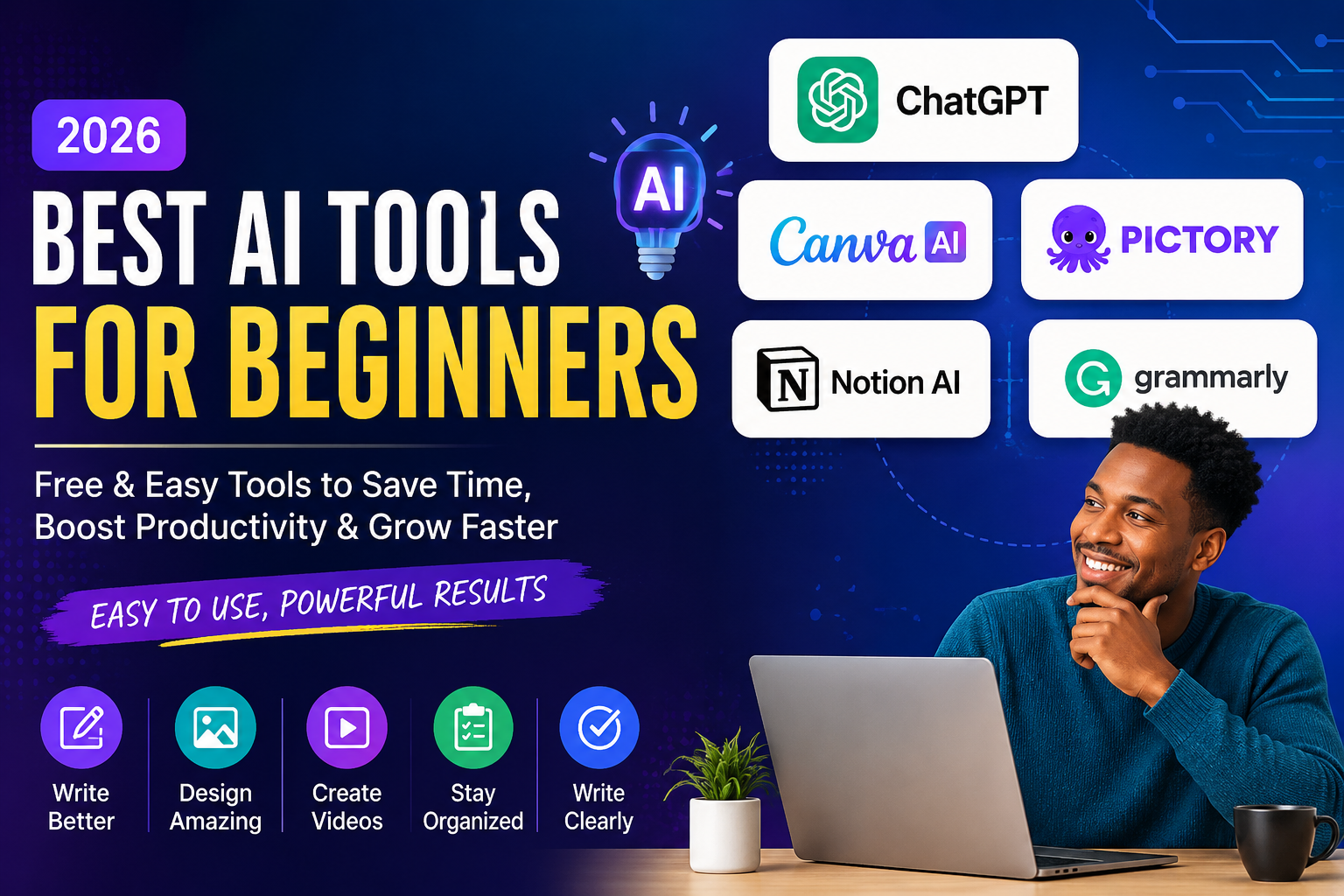
Top 5 Best AI Tools for Beginners in 2026
Here are five beginner-friendly AI tools worth exploring in 2026.
1. ChatGPT – Best AI Tool for Writing and Learning
ChatGPT is one of the easiest AI tools for beginners to start with. It uses a conversational interface, allowing you to type questions, instructions, or ideas and receive a response.
You can use ChatGPT for education, content creation, brainstorming, research assistance, programming, business planning, and many other tasks.
What Can You Do With ChatGPT?
You can use ChatGPT to:
- Write blog outlines
- Create YouTube scripts
- Brainstorm business ideas
- Explain difficult topics
- Generate social media content
- Improve emails
- Translate text
- Summarize documents
- Practice interviews
- Learn programming
- Generate content ideas
For example, a beginner could ask:
“Create a beginner-friendly YouTube script explaining how students can use AI to save time.”
The quality of the result can improve when you provide clear instructions, context, examples, and the format you want.
Why Is ChatGPT Good for Beginners?
ChatGPT is beginner-friendly because you can communicate with it using ordinary language. You do not need to memorize complicated commands.
However, AI-generated information can sometimes contain mistakes. Always review and verify important information before publishing or using it.
Best for: Writing, learning, brainstorming, research assistance, and productivity.
2. Canva AI – Best AI Tool for Design
Creating professional-looking graphics traditionally required design experience and specialized software.
Canva makes visual design much easier for beginners, particularly with its AI-powered features.
You can use Canva to create visual content for social media, websites, presentations, YouTube, and businesses.
What Can You Create With Canva AI?
Canva can help you create:
- YouTube thumbnails
- Facebook posts
- Instagram graphics
- Presentations
- Posters
- Infographics
- Marketing materials
- AI-generated images
- Business documents
For example, someone starting a YouTube channel can use Canva to create a professional thumbnail without needing advanced Photoshop skills.
Why Is Canva Good for Beginners?
One of Canva’s biggest advantages is its visual, drag-and-drop interface.
You can start with a template, change the text and images, and customize the design for your project.
Its AI features can also help speed up parts of the creative process.
Best for: Graphic design, social media content, presentations, thumbnails, and visual marketing.
3. Pictory – Best AI Tool for Video Creation
Video content is increasingly important for creators, businesses, educators, and marketers.
Pictory is designed to help users create videos from written content. This can be useful if you have an article, script, or idea but do not want to spend hours editing a video manually.
What Can Pictory Help You Create?
Depending on the available features and plan, Pictory can help you:
- Turn text into videos
- Create short-form video content
- Convert written content into visual stories
- Add captions
- Create voiceovers
- Repurpose existing content
For example, imagine that you have written a 1,000-word blog article.
Instead of creating a video completely from scratch, you can transform the main ideas into video content and then edit the result.
Why Is AI Video Creation Useful for Beginners?
Traditional video editing can take significant time.
AI-powered video tools can reduce some repetitive work, allowing beginners to spend more time on ideas, storytelling, editing, and publishing.
However, AI-generated videos should still be reviewed and edited before publication. Good content requires human judgment and creativity.
Best for: Video creation, content repurposing, YouTube, and short-form content.
4. Notion AI – Best AI Tool for Productivity
If you have dozens of ideas, notes, tasks, and projects scattered across different places, an AI-powered productivity workspace can help you organize your work.
Notion combines notes, databases, project management, and productivity features in one workspace. Its AI capabilities can help users work with their information more efficiently.
What Can You Use Notion AI For?
You can use Notion AI to help:
- Organize notes
- Summarize information
- Brainstorm ideas
- Create project plans
- Improve written content
- Generate task lists
- Organize research
- Manage content calendars
For example, a content creator could create a content database containing:
- Article ideas
- YouTube ideas
- Publishing dates
- Keywords
- Content status
- Research notes
AI can then assist with parts of the planning and writing process.
Who Should Use Notion AI?
Notion AI can be particularly useful for:
- Students
- Freelancers
- Content creators
- Entrepreneurs
- Small business owners
- Project teams
Best for: Productivity, organization, project planning, notes, and content management.
5. Grammarly – Best AI Tool for Improving Writing
Good communication is important when writing a blog post, email, CV, proposal, or social media post.
Grammarly uses AI-powered writing assistance to help users improve their written communication.
What Can Grammarly Help With?
You can use Grammarly to:
- Find grammar mistakes
- Improve sentence clarity
- Correct spelling
- Adjust writing style
- Make text more professional
- Improve emails
- Review written content
For freelancers and job seekers, this can be particularly useful because clear and professional communication matters when communicating with clients and employers.
Why Is Grammarly Beginner-Friendly?
You do not need to understand advanced grammar rules to use Grammarly.
The tool can identify potential problems and provide suggestions that you can review before accepting.
Best for: Grammar, editing, professional writing, emails, and communication.
Best AI Tools for Beginners: Quick Comparison
| AI Tool | Best For | Beginner Friendly | Free Option |
|---|---|---|---|
| ChatGPT | Writing and learning | Yes | Yes |
| Canva AI | Graphic design | Yes | Yes |
| Pictory | Video creation | Yes | Trial/limited options |
| Notion AI | Productivity | Yes | Limited options |
| Grammarly | Writing improvement | Yes | Yes |
AI features, free plans, and usage limits can change over time, so check each service’s current plan before subscribing.
How to Choose the Best AI Tool as a Beginner
One of the biggest mistakes beginners make is trying to learn too many AI tools at the same time.
You do not need 20 different AI applications.
Instead, start with the tool that solves your biggest problem.
Want to Write Content?
Start with ChatGPT.
It can help you brainstorm ideas, create outlines, draft content, and improve your writing.
Want to Create Graphics?
Start with Canva AI.
It is useful for social media graphics, presentations, thumbnails, and other visual content.
Want to Create Videos?
Try Pictory or another beginner-friendly AI video platform.
AI video tools can help reduce some of the manual work involved in creating video content.
Want to Organize Your Work?
Try Notion AI.
It can help you combine notes, tasks, projects, research, and content planning in one workspace.
Want to Improve Your Writing?
Try Grammarly.
It can help identify grammar, spelling, clarity, and writing-style issues.
Can Beginners Make Money With AI Tools?
Yes, AI tools can help beginners create services and products that people are willing to pay for.
However, AI itself is not a business.
The real opportunity comes from combining AI with a useful skill and solving a real problem.
For example, a freelancer could combine several AI tools to provide a content creation service.
A simple workflow could look like this:
Step 1: Use ChatGPT to brainstorm and draft an article.
Step 2: Edit the article and add your own expertise and examples.
Step 3: Use Canva to create a featured image or social media graphic.
Step 4: Repurpose the article into a video using an AI video tool.
Step 5: Create social media posts to promote the content.
One piece of content can therefore become multiple pieces of content.
This approach can save time and help a beginner build a portfolio.
AI Services Beginners Can Offer
Once you become comfortable with AI tools, you could explore services such as:
- AI-assisted blog writing
- Social media content creation
- YouTube script writing
- Thumbnail design
- Presentation design
- Content repurposing
- CV and cover letter assistance
- Translation and localization
- Research assistance
- AI workflow automation
The important point is to learn the skill behind the tool.
Knowing how to generate text with AI is useful. Understanding how to write a compelling article is even more valuable.
How to Start Learning AI as a Beginner
You do not need to spend months studying AI before using it.
You can learn by building small projects.
Try this simple seven-day approach:
Day 1: Learn ChatGPT
Ask questions and experiment with different prompts.
Day 2: Practice AI Writing
Create a short article, email, or social media post.
Day 3: Learn Canva
Create a social media graphic or YouTube thumbnail.
Day 4: Experiment With AI Video
Take a short script and experiment with turning it into video content.
Day 5: Organize Your Workflow
Create a simple workspace in Notion for your projects and ideas.
Day 6: Improve Your Writing
Use Grammarly to review something you have written.
Day 7: Build Something
Combine the tools to create one complete project.
For example:
Idea → ChatGPT → Canva → AI Video → Social Media
Building something is often more valuable than simply watching tutorials.
Common AI Mistakes Beginners Should Avoid
AI tools are powerful, but beginners can easily misuse them.
Here are five mistakes to avoid.
1. Trying Too Many AI Tools
You do not need every new AI tool that appears online.
Choose one tool, learn it properly, and then expand.
2. Copying AI Content Without Editing
AI-generated content can contain errors, repetitive language, or information that lacks context.
Always review, fact-check, and personalize important content.
3. Depending Completely on AI
AI should assist your thinking, not replace it.
Your experience, creativity, judgment, and expertise are still valuable.
4. Ignoring Basic Skills
Learning AI prompting is useful, but do not ignore fundamental skills such as:
- Writing
- Communication
- Research
- Critical thinking
- Design
- Data analysis
- Problem-solving
AI becomes more valuable when combined with these skills.
5. Paying for Too Many AI Subscriptions
Many beginners immediately subscribe to multiple AI tools.
That can become expensive.
Start with free versions where possible and upgrade only when a tool provides enough value to justify the cost.
Are Free AI Tools Enough for Beginners?
For many beginners, yes.
You can learn a lot using free versions of popular AI tools.
Before paying for a subscription, ask yourself:
- Do I use this tool regularly?
- Does it save me significant time?
- Does it improve the quality of my work?
- Can it help me earn more money?
- Have I reached the limits of the free plan?
If the answer is no, you probably do not need the paid version yet.
The Best AI Tool Is the One You Actually Use
There is no single AI tool that is perfect for everyone.
The best tool depends on what you want to accomplish.
If you are a writer, ChatGPT may be your best starting point.
If you are a designer, Canva AI may be more useful.
If you create videos, an AI video platform may save you significant time.
If you need better organization, Notion AI can help.
If writing quality is your biggest challenge, Grammarly may be the right choice.
The important thing is to start instead of endlessly comparing tools.
Frequently Asked Questions About AI Tools for Beginners
What is the best AI tool for beginners in 2026?
ChatGPT is one of the best starting points for beginners because it can help with many different tasks, including writing, learning, brainstorming, research assistance, and productivity.
Are AI tools free for beginners?
Many AI tools offer free plans or limited free features. However, available features, usage limits, and pricing can change, so check the current plan before subscribing.
Can I use AI without knowing programming?
Yes. Many modern AI tools are designed for non-programmers. You can use natural language to communicate with tools such as ChatGPT, Canva, and other AI applications.
Can AI help me make money online?
AI can help you create services, content, digital products, and other online opportunities. However, earning money still requires valuable skills, consistent work, marketing, and solving real problems for customers.
Which AI tool should I learn first?
If you are completely new to AI, start with ChatGPT. Learn how to write effective prompts, verify AI-generated information, and use the tool to complete a real project.
Final Thoughts: Start With One AI Tool
The world of AI can feel overwhelming because new tools appear almost every week.
But you do not need to learn everything.
The best AI tools for beginners in 2026 are the ones that are easy to use and solve real problems.
Start with one tool.
Practice with it every day.
Build something useful.
Then gradually add other tools to your workflow.
A simple combination such as ChatGPT + Canva + an AI video tool can already help you create articles, graphics, videos, and social media content.
The future of AI is not simply about using more tools.
It is about learning how to use the right tools to become more productive, creative, and valuable.
So don’t wait until you understand everything about AI.
Pick one tool today and start building. 🚀
Want to Learn How to Make Money With AI?
If you want practical guides on AI tools, online income, freelancing, automation, and digital skills, follow MiraTech for beginner-friendly tutorials and strategies.
Start learning AI today—and turn your knowledge into something useful.