

“In 2026, the gap between people who use AI tools and people who don’t isn’t a productivity gap anymore — it’s a civilizational gap. One group is living in the future. The other is wondering why everything feels harder than it should.”
Introduction: The AI Tool Explosion Is Real — And You’re Already Behind
Let’s be honest.
The number of AI tools launched in the last 12 months alone is overwhelming. There are tools for writing, designing, coding, video editing, voice cloning, data analysis, customer service, marketing, music creation, legal research — and the list grows every single week.
If you’ve ever opened a “best AI tools” list and immediately felt confused, overstimulated, and no closer to actually being more productive — this article is for you.
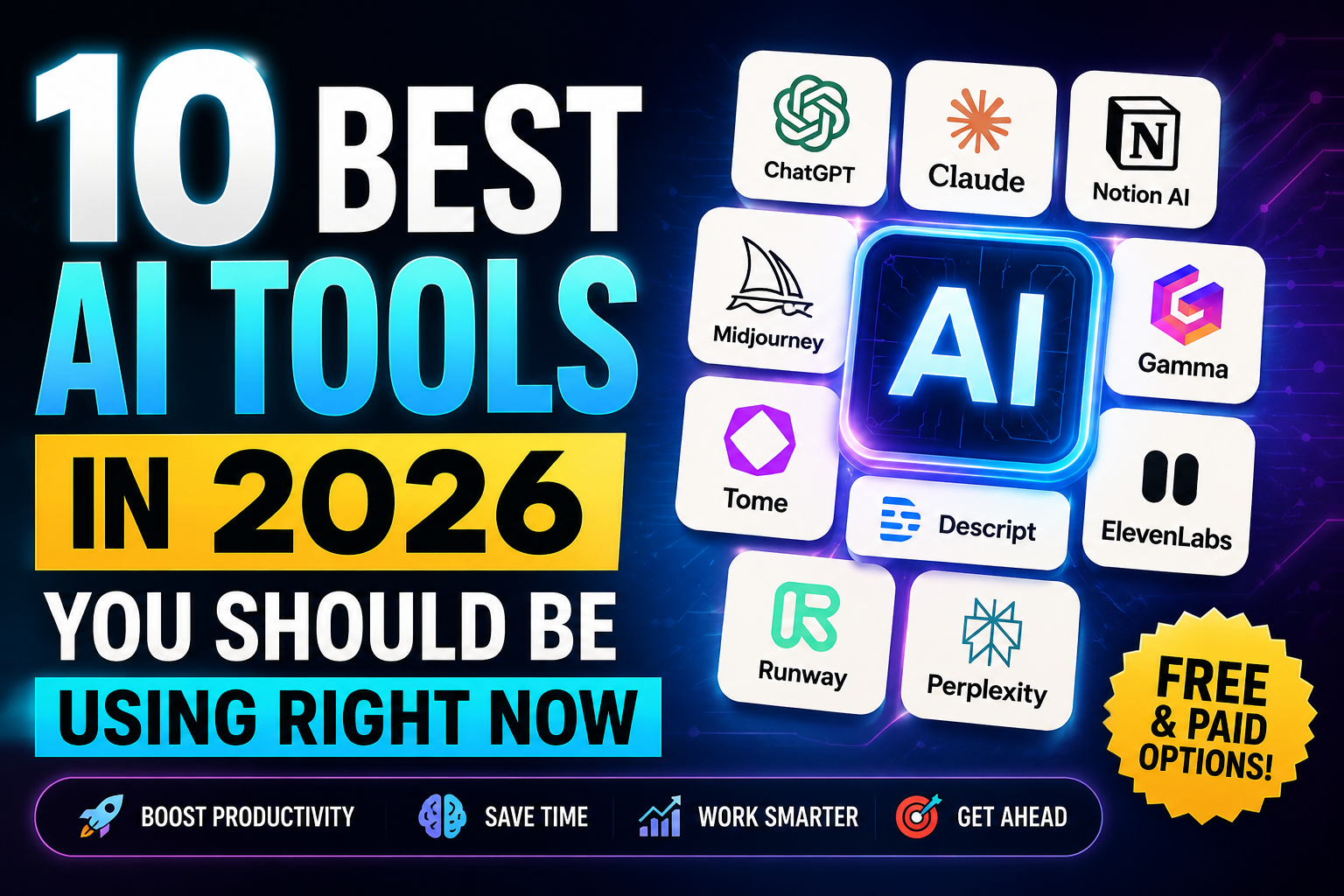
I’ve done the work. I’ve tested, compared, and used dozens of AI tools across every major category. And in this post, I’m giving you the 10 absolute best AI tools in 2026 — tools that are genuinely useful, reasonably priced (many are free), and proven to save real time in real workflows.
Whether you’re an entrepreneur trying to scale your business, a student trying to study smarter, or a content creator looking to produce more with less — there is something powerful on this list for you.
Let’s get into it.
How I Chose These 10 Tools
Before the list, here’s my selection criteria so you know this isn’t just hype:
- Proven usefulness — I personally tested each tool, not just read about it
- Value for money — free tier available or strong ROI on paid plans
- Active development — the company is still investing in improvements in 2026
- Broad applicability — useful to a wide range of people, not just one narrow profession
- Global accessibility — available to users outside North America and Europe
With that said — let’s go.
1. ChatGPT (by OpenAI) — The Swiss Army Knife of AI
Best For: Writing, research, coding, brainstorming, tutoring Free Plan: Yes (GPT-4o mini) Paid Plan: $20/month (Plus) | $200/month (Pro) Website: chat.openai.com
What It Does
If you’ve only heard of one AI tool, it’s probably ChatGPT — and for good reason. Launched in late 2022 and now running on GPT-4o and GPT-4.5 in 2026, ChatGPT is the most versatile AI assistant available to the public today.
It can write blog posts, summarize research papers, explain complex topics in simple language, debug code, translate languages, generate business plans, create marketing copy, answer medical questions, help with legal documents, and have a nuanced conversation that feels remarkably human.
In 2026, ChatGPT has added real-time web search, memory across conversations, custom GPTs you can build for specific workflows, and a voice mode that allows natural spoken conversation with the AI.
Why It’s #1 on This List
No other tool offers this combination of capability, accessibility, and breadth. It’s the first tool I recommend to anyone starting with AI — because almost every other tool on this list builds on top of what ChatGPT established.
Best Use Cases
- Writing and editing any kind of content
- Research and summarization
- Learning new subjects quickly
- Business planning and strategy
- Customer email drafting
- Coding assistance for non-developers
Pro Tip
Don’t ask ChatGPT vague questions. The quality of your output depends entirely on the quality of your prompt. The more specific, detailed, and contextual your input — the more powerful the output. Start every important prompt with context: “I am a [role]. I need [specific output]. My audience is [audience]. Tone should be [tone].”
2. Claude (by Anthropic) — The Best AI for Long-Form Thinking
Best For: Long documents, nuanced writing, analysis, coding Free Plan: Yes Paid Plan: $20/month (Pro) | $100/month (Team) Website: claude.ai
What It Does
Claude is ChatGPT’s most credible rival — and in several important ways, it surpasses it. Built by Anthropic with a focus on safety and nuanced reasoning, Claude in 2026 handles extremely long documents (up to 200,000 tokens — roughly a full novel), produces more natural-sounding writing than most competitors, and excels at tasks that require genuine analytical depth.
Claude is the tool I personally use for long-form blog posts, deep research analysis, and any task where I need the AI to maintain context over a long, complex conversation without losing the thread.
Why It Stands Out
Claude’s writing sounds less “AI-generated” than most alternatives. Where ChatGPT can sometimes feel like it’s performing intelligence, Claude tends to reason more carefully and express uncertainty when appropriate — which makes its outputs more trustworthy for serious work.
Best Use Cases
- Writing long-form articles, reports, and essays
- Analyzing large documents (contracts, research papers, financial reports)
- Deep brainstorming and strategic thinking
- Coding projects with complex requirements
- Sensitive or nuanced topics that require careful handling
Pro Tip
Upload entire PDF documents and ask Claude to summarize, extract key data, compare sections, or answer specific questions about the content. This single use case alone can save hours of reading every week.
3. Gemini (by Google) — The AI That Knows the Internet
Best For: Real-time research, Google Workspace integration, multimodal tasks Free Plan: Yes (Gemini 1.5 Flash) Paid Plan: $20/month (Advanced) | Included in Google One AI Premium Website: gemini.google.com
What It Does
Google’s Gemini is the AI assistant that comes with the most powerful research engine in the world baked right in. While ChatGPT and Claude have added web search, Gemini’s integration with Google Search is deeper and more seamless — making it the best tool for real-time research and staying current on fast-moving topics.
In 2026, Gemini is deeply integrated with Google Workspace — Docs, Sheets, Slides, Gmail, and Drive. If your work lives in Google’s ecosystem, Gemini is not optional — it’s transformative.
Gemini Ultra (the most powerful version) also handles multimodal inputs — text, images, audio, video, and code — making it uniquely flexible for multimedia workflows.
Best Use Cases
- Real-time research and fact-checking
- Drafting emails in Gmail with one click
- Generating formulas and data analysis in Google Sheets
- Creating presentation outlines in Google Slides
- Analyzing images, charts, and documents together
Pro Tip
Use Gemini inside Google Sheets to build dynamic reports. Ask it in plain English: “Analyze this sales data and identify the top 3 trends” — and it will read your spreadsheet and generate insights without you writing a single formula.
4. Midjourney — The Gold Standard for AI Image Generation
Best For: Marketing visuals, social media content, creative design, thumbnails Free Plan: Limited (trial on Discord) Paid Plan: $10–$120/month Website: midjourney.com
What It Does
If you create any kind of visual content — social media posts, blog thumbnails, marketing materials, presentations, product mockups — Midjourney is the AI tool that will save you the most time and money.
Midjourney Version 6.1 (current in 2026) produces photorealistic images, stunning illustrations, and unique artistic visuals from simple text descriptions. The quality gap between Midjourney and human design work for standard marketing materials has essentially closed for many use cases.
For entrepreneurs and content creators who previously spent $50–$500 per image on stock photography or freelance designers, Midjourney is a financial revolution.
Why It Beats the Competition
While Adobe Firefly, DALL·E 3, and Stable Diffusion are solid alternatives, Midjourney consistently produces the most aesthetically polished, commercially viable images. Its community on Discord is also one of the most active AI communities in the world — an incredible learning resource.
Best Use Cases
- Blog post and YouTube thumbnail creation
- Social media graphic generation
- Brand mood boards and concept visualization
- Product mockups and packaging design
- Marketing campaign visuals
- Book covers and digital product graphics
Pro Tip
The key to great Midjourney outputs is detailed prompts with style references. Include: subject, setting, lighting, mood, color palette, and artistic style. Example: “A confident African businesswoman reviewing analytics on a holographic screen, modern office, warm lighting, cinematic style, –ar 16:9”
5. ElevenLabs — The Most Realistic AI Voice Generator
Best For: Voiceovers, podcasts, YouTube videos, audiobooks, language learning Free Plan: Yes (10,000 characters/month) Paid Plan: $5–$330/month Website: elevenlabs.io
What It Does
ElevenLabs has done something that seemed impossible two years ago: it has made AI-generated voices indistinguishable from human speech.
In 2026, ElevenLabs offers:
- Voice cloning — upload 30 seconds of audio and create a perfect digital clone of any voice
- Multilingual generation — convert text to speech in 29 languages with natural accent and emotion
- Emotional range — control whether the voice sounds calm, excited, serious, or empathetic
- Real-time voice changing — alter your voice live during calls or recordings
For YouTube automation creators, podcasters, audiobook producers, e-learning developers, and anyone who needs professional voiceovers without a studio — ElevenLabs is non-negotiable.
Best Use Cases
- YouTube video narration (faceless channels)
- Podcast creation without recording
- Audiobook production
- E-learning course narration
- Corporate training videos
- Multilingual content localization
Pro Tip
When cloning a voice or recording narration, choose a quiet room with minimal echo and speak at a natural, measured pace. The higher the quality of your input audio, the more realistic the AI clone. For YouTube, use the “Adam” or “Rachel” default voices at first — both are highly rated by audiences who can’t tell they’re AI.
6. InVideo AI — Turn Ideas Into Videos in Minutes
Best For: YouTube content creation, social media videos, marketing videos Free Plan: Yes (with watermark) Paid Plan: $25–$60/month Website: invideo.io
What It Does
InVideo AI is the most accessible and complete AI video production platform in 2026. Give it a topic or script, and it:
- Writes or refines the script automatically
- Selects relevant stock footage from a library of 16+ million clips
- Adds professional transitions and motion graphics
- Syncs your voiceover (or generates an AI voiceover)
- Outputs a broadcast-quality video — all in under 20 minutes
For YouTube automation creators, digital marketers, and small businesses that can’t afford video production teams, InVideo AI has democratized professional video production in a way nothing else has.
Why It’s Better Than Alternatives
Compared to Pictory, Synthesia, and HeyGen, InVideo offers the best balance of customization, ease of use, and output quality for non-professional creators. The AI direction — where you simply type “make a 5-minute video about how to invest in ETFs for beginners” — is genuinely magical.
Best Use Cases
- YouTube video creation (faceless channels)
- Instagram and TikTok Reels
- Product explainer videos
- Training and onboarding videos
- News-style content videos
- Promotional marketing videos
Pro Tip
Pair InVideo AI with ChatGPT and ElevenLabs for maximum quality. Use ChatGPT to write the script → ElevenLabs to generate the voiceover → InVideo to build the final video. This three-tool pipeline produces videos that rival professional production teams at under $50/month total.
7. Notion AI — The Smartest Workspace in the World
Best For: Note-taking, project management, content planning, knowledge management Free Plan: Yes (limited AI queries) Paid Plan: $10–$18/month (Plus/Business) Website: notion.so
What It Does
Notion has always been the most powerful personal and team workspace tool. In 2026, with Notion AI deeply embedded throughout the platform, it has become something even more significant: an intelligent second brain that not only stores your knowledge but actively helps you use it.
Notion AI can:
- Summarize any page or document instantly
- Generate first drafts of meeting notes, reports, and plans
- Translate content into any language
- Create action items automatically from unstructured notes
- Search across your entire workspace using natural language
- Build databases, templates, and content calendars on command
For entrepreneurs managing multiple projects, content creators with complex publishing schedules, and students managing research — Notion AI is the central nervous system of a productive workflow.
Best Use Cases
- Content calendar management
- Business planning and documentation
- Meeting notes and action item tracking
- Research organization and synthesis
- Team knowledge bases
- Personal goal tracking and life management
Pro Tip
Build a Content OS in Notion — a master database connecting all your blog posts, social media content, videos, and research. Use Notion AI to auto-generate titles, outlines, and summaries for each piece. Once set up, it becomes your single source of truth for every creative project.
8. Perplexity AI — The AI Search Engine That Replaces Google for Research
Best For: Research, fact-checking, academic study, market research Free Plan: Yes Paid Plan: $20/month (Pro) Website: perplexity.ai
What It Does
Perplexity AI is what happens when you give an AI brain access to the entire internet and ask it to actually think about what it finds — rather than just listing links.
Unlike Google, which shows you 10 blue links and leaves you to read everything yourself, Perplexity reads multiple sources, synthesizes the information, and gives you a clear, cited answer — like having a brilliant research assistant who can read 50 articles in 3 seconds and tell you exactly what they found.
In 2026, Perplexity has become the go-to tool for serious researchers, students, journalists, and analysts. It supports follow-up questions, source citations, image search, and real-time data — making it the most powerful research tool most people have never tried.
Why It’s Different From ChatGPT
ChatGPT is better for creation and generation. Perplexity is better for research and verification. Use them together: research with Perplexity, create with ChatGPT.
Best Use Cases
- Academic research and study
- Market research and competitive analysis
- Fact-checking before publishing content
- Medical and legal research (always verify with professionals)
- Learning new topics quickly with cited sources
- Journalist and blogger research
Pro Tip
Use Perplexity’s “Focus” feature to search specific sources — Reddit (for real opinions), academic papers, YouTube, or specific news sources. This targeted search gives you higher quality, more relevant results than general web searching.
9. GitHub Copilot — The AI That Codes Alongside You
Best For: Software developers, data scientists, technical content creators Free Plan: Yes (limited — 2,000 completions/month) Paid Plan: $10–$19/month Website: github.com/features/copilot
What It Does
GitHub Copilot, powered by OpenAI’s Codex and now GPT-4o, is the AI coding assistant that has fundamentally changed how software is built. Integrated directly into VS Code, JetBrains, and other major development environments, it acts as a real-time pair programmer that:
- Suggests complete functions as you type
- Writes boilerplate code automatically
- Explains what existing code does in plain English
- Identifies and fixes bugs with one click
- Generates unit tests automatically
- Supports 40+ programming languages
Studies published in 2025 consistently show that developers using GitHub Copilot complete tasks 55% faster than those without it. For a developer billing at $50/hour, that’s a profound economic multiplier.
Why Non-Developers Should Care
Even if you’re not a full-time developer, GitHub Copilot (or its competitors like Cursor AI and Amazon CodeWhisperer) enables entrepreneurs, analysts, and marketers to write functional scripts, automate spreadsheet tasks, and build simple tools without a computer science degree.
Best Use Cases
- Full-stack web development
- Data analysis and scripting (Python, R)
- Automation scripts for business workflows
- API integration and backend development
- Code refactoring and documentation
- Learning to code faster
Pro Tip
If you’re new to coding, use GitHub Copilot in chat mode — describe what you want to build in plain English and let it write the code. Then read the code it produces to understand how it works. This learning-by-doing approach accelerates coding skills faster than any course.
10. Canva AI — Professional Design for Everyone
Best For: Social media graphics, presentations, thumbnails, marketing materials, videos Free Plan: Yes (very generous) Paid Plan: $13–$30/month (Pro/Teams) Website: canva.com
What It Does
Canva was already the world’s most popular design tool before AI. In 2026, Canva’s AI suite has transformed it into something that would have seemed like science fiction five years ago.
Canva AI features in 2026:
- Magic Write — AI copywriter built directly into designs
- Magic Design — generate complete, branded design layouts from a text description
- Background Remover — remove any background with one click
- Magic Expand — extend images beyond their original borders intelligently
- Text to Image — generate custom AI visuals directly inside your design
- Magic Animate — add professional animations to static designs with one click
- Brand Kit AI — maintains your brand colors, fonts, and logo across all designs automatically
- Presentations AI — generate entire slide decks from a topic prompt
For entrepreneurs, content creators, and small businesses who cannot afford professional designers — Canva AI is the single most valuable creative tool available today.
Why It Beats Adobe for Most Users
Adobe’s Creative Suite (Photoshop, Illustrator, Premiere) remains the professional standard. But for the vast majority of business and content creation use cases, Canva AI produces results that are 85–95% as good in 5% of the time, at a fraction of the cost. The ROI is unmatched.
Best Use Cases
- Social media content (Instagram, Facebook, Twitter/X, LinkedIn)
- YouTube thumbnails
- Blog post featured images
- Business presentations and pitch decks
- Marketing flyers and banners
- Email header graphics
- Brand identity design (logos, business cards)
Pro Tip
Set up your Brand Kit on Day 1 — upload your logo, set your brand colors and fonts. Every design you create will auto-apply your branding, giving your content a professional, consistent identity without extra effort. Combined with Magic Design, you can produce a week’s worth of social media content in under an hour.
Quick Comparison: Which Tool Is Right for You?
| Tool | Best For | Free Plan | Starting Price |
|---|---|---|---|
| ChatGPT | Writing, research, general AI tasks | ✅ Yes | $20/month |
| Claude | Long documents, analysis, nuanced writing | ✅ Yes | $20/month |
| Gemini | Real-time research, Google Workspace | ✅ Yes | $20/month |
| Midjourney | Image generation, visual content | ⚠️ Limited | $10/month |
| ElevenLabs | Voiceovers, audio content | ✅ Yes | $5/month |
| InVideo AI | Video creation and editing | ✅ Yes | $25/month |
| Notion AI | Workspace, notes, project management | ✅ Yes | $10/month |
| Perplexity AI | Research and fact-checking | ✅ Yes | $20/month |
| GitHub Copilot | Coding and development | ✅ Limited | $10/month |
| Canva AI | Design, social media, presentations | ✅ Yes | $13/month |
The Perfect AI Stack for Different Types of Users
Not everyone needs all 10 tools. Here’s my recommended stack by user type:
🎓 For Students
Must-have: Perplexity AI (research) + Claude (writing & analysis) + Notion AI (study notes) Monthly cost: $0 (all free tiers sufficient for student use)
✍️ For Content Creators & Bloggers
Must-have: ChatGPT (writing) + Canva AI (design) + Midjourney (visuals) + Notion AI (planning) Monthly cost: $43/month
🎬 For YouTube Creators
Must-have: ChatGPT (scripts) + ElevenLabs (voice) + InVideo AI (production) + Canva AI (thumbnails) Monthly cost: $63/month
💼 For Entrepreneurs & Business Owners
Must-have: ChatGPT or Claude (general) + Notion AI (operations) + Canva AI (marketing) + Perplexity (research) Monthly cost: $53/month
💻 For Developers & Technical Users
Must-have: GitHub Copilot (coding) + ChatGPT or Claude (problem-solving) + Perplexity (research) Monthly cost: $30/month
5 Tips to Get Maximum Value From AI Tools
1. Master One Before Adding Another
The most common mistake is signing up for 10 tools and mastering none. Pick the tool most relevant to your work, use it daily for 30 days, and build real proficiency before adding the next.
2. Build a Personal Workflow
AI tools are most powerful when integrated into a consistent daily workflow. Decide: when do you use ChatGPT vs Perplexity vs Claude? What’s your production pipeline for a blog post? A clear workflow transforms occasional AI use into a genuine productivity superpower.
3. Always Edit AI Output
AI generates starting points — not finished products. The best users of AI spend 30–40% of their time editing, refining, and adding their unique voice and judgment to AI-generated content. The human layer is what makes the output excellent.
4. Stay Updated — These Tools Improve Monthly
Every AI tool on this list has released major updates in the last 6 months. Follow their official blogs, YouTube channels, and communities to stay current on new features. An update can double a tool’s usefulness overnight.
5. Use Free Tiers to Validate Before Paying
Every tool on this list has a meaningful free plan. Test each tool on your real use cases before committing to a paid subscription. The right tool for you is the one that solves your specific problems — not the one with the most impressive demo.
What About Tools Not on This List?
Several powerful tools narrowly missed this list and deserve honorable mentions:
- Sora (OpenAI) — AI video generation from text prompts; still limited access but transformative for video creators when it fully launches
- Adobe Firefly — Best AI image tool if you’re already in the Adobe ecosystem
- HeyGen — Best for AI avatar videos with realistic lip-sync
- Runway ML — Professional AI video editing for filmmakers
- Copy.ai — Solid alternative to ChatGPT specifically for marketing copy
- Otter.ai — Best dedicated AI meeting transcription tool
- Descript — Best AI-powered podcast and video editing platform
- Jasper AI — Enterprise-grade AI content platform with team collaboration
Conclusion: The Tools Are Here. The Question Is Whether You’ll Use Them.
We are living through the most significant productivity revolution in human history.
The 10 tools in this list are not experimental prototypes or tech demos. They are production-ready, actively used by millions of people, and proven to save hours of work every week.
The student using Perplexity and Claude for research is not “cheating” — they are developing the skills that matter in 2026 and beyond: the ability to find information faster, synthesize it more effectively, and produce higher-quality work.
The entrepreneur using ChatGPT and Canva AI is not cutting corners — they are competing with companies 10 times their size by working smarter.
The content creator using InVideo AI and ElevenLabs is not being lazy — they are operating a one-person media company that would have required a team of 8 just five years ago.
The tools exist. They are accessible. Many are free.
The only remaining question is: what will you build with them?
Key Takeaways
- ChatGPT remains the most versatile AI tool for general use in 2026
- Claude excels at long documents and nuanced analysis; Gemini for real-time research and Google integration
- Midjourney leads for image generation; ElevenLabs for voice; InVideo AI for video production
- Notion AI is the best intelligent workspace; Perplexity the best AI research tool
- GitHub Copilot is essential for developers; Canva AI for visual content creators
- Start with free tiers; master one tool before adding another
- The right AI stack depends on your specific role and goals — see the recommended stacks above
Frequently Asked Questions
Q: Which AI tool is best for a complete beginner? Start with ChatGPT (free plan). It’s the most intuitive, most versatile, and has the largest community of tutorials and guides. Once comfortable, add Canva AI for design and Perplexity for research.
Q: Are these tools available in Africa and Ethiopia? Yes — all 10 tools on this list are accessible globally. Some require a credit or debit card for paid plans. Canva, ChatGPT, Claude, Gemini, Perplexity, Notion, and ElevenLabs all have robust free tiers that don’t require payment information.
Q: Is it safe to use AI tools for business data? For sensitive business data, check each tool’s privacy policy before uploading. Claude and ChatGPT both offer options to turn off training on your data. For highly confidential information, use self-hosted alternatives or enterprise plans with data privacy guarantees.
Q: Will these tools replace jobs? These tools will replace specific tasks within jobs — not entire professions overnight. The workers most at risk are those who refuse to learn AI tools. The workers most secure are those who use AI to produce more value than was previously possible.
Q: How do I keep up with new AI tools being released? Follow Meyra Blogs (we review new AI tools regularly), subscribe to newsletters like The Rundown AI and TLDR AI, and follow AI tool communities on Reddit (r/artificial) and Twitter/X. The landscape moves fast — staying informed is itself a competitive skill.
Found this guide useful? Save it, share it with someone who needs it, and subscribe to Meyra Blogs for weekly guides on AI tools, online income, and future technology.