
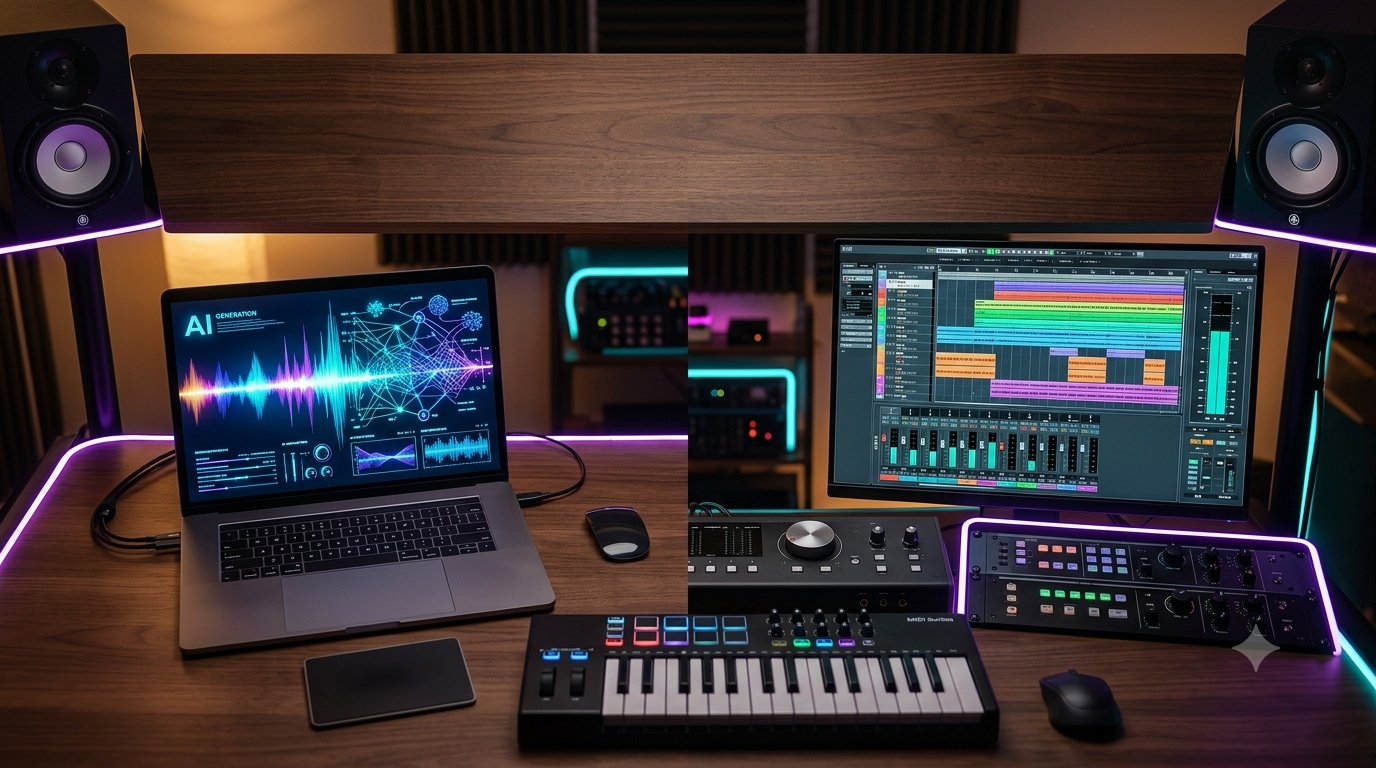
Music producers used to choose between two extremes: generate a full track with AI and accept whatever you got, or build everything by hand and accept the hours it would cost you. In 2026, that trade-off is gone. The producers finishing the most releases right now aren’t the ones who went all-in on AI, and they aren’t the purists either — they’re running a hybrid AI music workflow, where generative tools handle the first draft and a real DAW session handles everything that makes a track sound finished.
This guide walks through exactly how to set one up, which tools belong at each stage, and where the legal lines currently sit.
What Is a Hybrid AI Music Workflow?
A hybrid workflow treats AI as a starting point, not an end point. Instead of exporting a raw AI generation and calling it done, you use AI to compress the slowest parts of production — sketching chord progressions, generating scratch vocals, building stems, or drafting an orchestral arrangement — and then hand the result to a human for arrangement, mixing, and the emotional judgment calls that AI still struggles to make on its own.
This isn’t a fringe approach anymore. Composers delivering to sync libraries, YouTubers scoring their own videos, and full-time producers are all converging on the same basic structure: generate, revise, produce, finish.
Stage 1: Generate a Musical Foundation
Start with an AI music generator to get raw material fast. The two tools most producers reach for right now serve different purposes:
- Suno (Studio v5.5) functions less like a novelty generator and more like a generative DAW. It separates finished tracks into stems — vocals, drums, bass, and other instrumentation — and exports both audio and MIDI, so you can swap AI instruments for premium virtual instruments or live recordings later.
- AIVA is MIDI-first, which makes it the stronger option for orchestral, cinematic, or game-score work. You can also feed it your own MIDI themes and let it orchestrate around them, which saves hours on deadline-driven cues.
At this stage, resist the urge to over-polish. The goal is a usable skeleton, not a finished master.
Stage 2: Revise Before You Rebuild
One of the biggest time-wasters in early AI music workflows was starting over from scratch every time a generation was close but not quite right. Newer tools are built around iterative revision instead — extending a strong section, replacing a weak verse, generating alternate stems, or requesting a different vocal take without discarding the parts that already work. Treat this stage as triage: keep what’s usable, regenerate only what isn’t.
Stage 3: Move Into a Real DAW
This is the step that separates a hybrid workflow from a purely AI-generated track — and it’s the step that actually produces release-quality results. Once you have stems:
- Import them into your DAW (Ableton, Logic, Cubase, or Pro Tools all work).
- Apply EQ and compression to each element individually.
- Layer in live instruments, real vocal takes, or sampled performances where they’ll add authenticity.
- Fix timing issues and AI artifacts that don’t survive close listening.
- Mix and master to commercial loudness standards.
AI mixing assistants (built into tools like iZotope Ozone or newer AI-native plugins) can suggest EQ curves, gain staging, and reference-track matching — but treat their output as a starting point for a human decision, not a final answer. The most reliable results still come from pairing AI-generated suggestions with a trained ear.
Stage 4: Document Everything
This step gets skipped constantly, and it’s the one that protects you later. For every project, keep records of:
- The original prompts, lyrics, and generation parameters
- Which stems came from AI and which were human-performed
- Source-audio rights for anything you sampled, covered, or extended
- Client briefs and approvals, if you’re doing commissioned work
This isn’t just good practice — it’s becoming a legal necessity.
Why the Legal Landscape Makes Human Input Non-Negotiable
According to current U.S. Copyright Office guidance, a fully AI-generated track — one where a person typed a prompt and did nothing else — is not copyrightable. Hybrid works, where there’s meaningful human authorship layered on top of the AI output, are treated differently and generally qualify for protection. That distinction alone is a strong argument for building a hybrid workflow even if you don’t care about the credit — it’s the difference between owning your work and not owning it.
The industry is also moving toward formal labeling. In July 2026, a coalition including the RIAA, IFPI, the Grammys, and several independent-label associations announced a unified labeling standard that distinguishes “AI-Generated” tracks — where generative AI created the entirety or primary creative portion of a recording — from “AI-Assisted” tracks, where humans performed the lead vocals and primary instruments and AI supported some expressive elements. A hybrid workflow, done properly, lands you clearly in the second category, which matters more every month as streaming platforms roll out AI-disclosure metadata.
A Sample Hybrid Workflow, Start to Finish
Here’s what a realistic weekly workflow looks like for a working composer or producer:
- Ideation — Draft a prompt with genre, mood, tempo, and instrumentation cues.
- First draft — Generate 2–3 versions in Suno or AIVA.
- Revision — Extend the strongest sections, regenerate the weakest ones.
- Stem export — Pull stems and MIDI into your DAW.
- Human production — Replace weak elements with live instrumentation or better takes, mix, and master.
- Documentation — Log prompts, sources, and rights before delivery or release.
Common Mistakes to Avoid
- Relying entirely on the first AI generation. AI still struggles with structural coherence over a full track length and with the kind of emotional nuance that comes from lived performance experience.
- Skipping the DAW stage entirely. Raw AI stems rarely meet commercial loudness or clarity standards without human mixing.
- Not confirming source-audio rights. If you wouldn’t be legally allowed to use a piece of source audio directly, AI stem separation doesn’t make it safe to use.
- Treating AI mixing suggestions as final. Use them as a starting point, then apply your own judgment.
The Bottom Line
A hybrid AI music workflow isn’t about cutting corners — it’s about spending your time on the parts of production only a human can do well. Let AI handle the repetitive and generative heavy lifting: sketching ideas, building stems, offering a first pass at arrangement. Then bring your own ear, taste, and performance back into the mix before anything ships. That combination is currently producing faster turnaround times without sacrificing the human authorship that both listeners and copyright law increasingly expect.
FAQ
Is AI-generated music copyrightable? Fully AI-generated music, created from a prompt with no further human input, is not currently copyrightable under U.S. Copyright Office guidance. Adding meaningful human authorship — performance, arrangement, editing — can make the resulting hybrid work eligible for protection.
What’s the difference between “AI-Generated” and “AI-Assisted” labeling? Under the labeling framework introduced by RIAA, IFPI, and other industry groups in mid-2026, “AI-Generated” means AI created the entirety or primary creative portion of a track. “AI-Assisted” means humans performed the lead vocals and primary instruments, with AI supporting select elements — which is the category a well-built hybrid workflow falls into.
Do I need expensive software to start a hybrid workflow? No. A generator like Suno or AIVA plus any standard DAW is enough to get started. The workflow matters more than the specific tool stack.